Available nowShipped, and it works on a fresh install with the default settings.BetaShipped in the app. It needs setup and hasn't been proven in the field yet.

Teach it once. Every agent knows how your team works.

Your team already has conventions: how money is typed, how migrations ship, what a good PR looks like.

Write each one as a skill once, and every agent CodeSense launches in any repo with that skill in its context gets it as a real file in its worktree. Claude Code agents have it by default.

In Beta, when an agent or a teammate improves it in a worktree, an agent publishes the fix back to team context, and once it's shared through your team's context repo the next agent starts better.
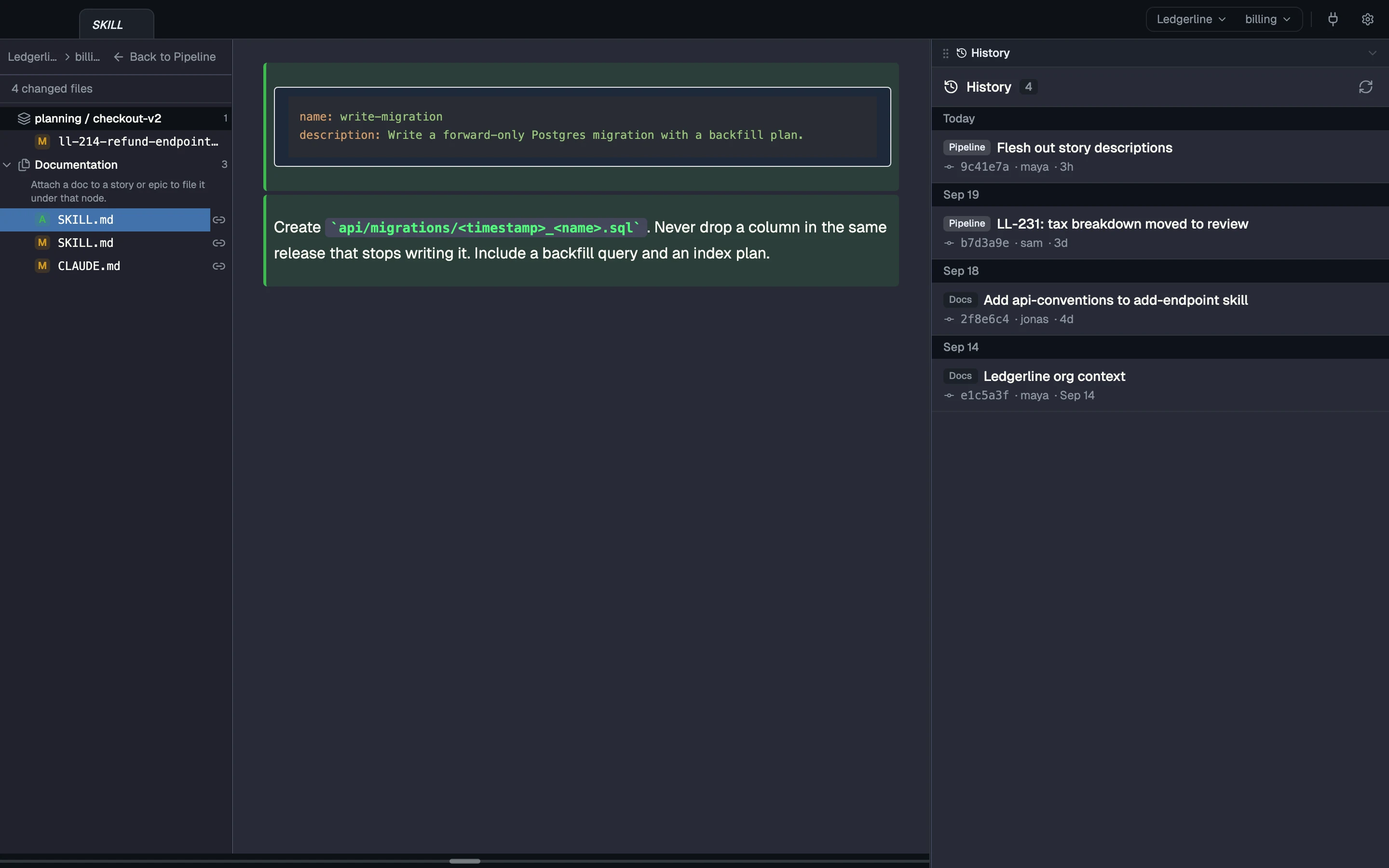
The CodeSense sync view for a sample team: four changed files, with a newly added write-migration SKILL.md shown in full and the team's commit history alongside.
Real CodeSense UI · sample project Build a skill once. A new skill in your team context, shown as a change ready to sync through git.

How it goes

From the moment it starts to done. Each flow carries its own label.

Teach it once

Available now
  1. Write Write .claude/skills/review-pr/SKILL.md in team context.
  2. Land Each agent you launch, in any of your repos, gets it in its worktree, hidden from git.
  3. Done Every one of those agents reads the same skill.

Improve it

Beta Needs a sync you start from the worktree
  1. Improve Someone improves it in a worktree, and an agent publishes it back.
  2. Done The next agent you launch starts with the better version.

One skill file in team context. Your team's version wins over the parent team's.

File .claude/skills/review-pr/ SKILL.md Markdown
---
name: review-pr
description: Billing PR review, with the team's money and idempotency checks.
---
Check that amounts are bigint cents, every POST/PATCH honours
Idempotency-Key, and refunds never exceed the captured amount.
Leave findings as a checklist, most severe first.
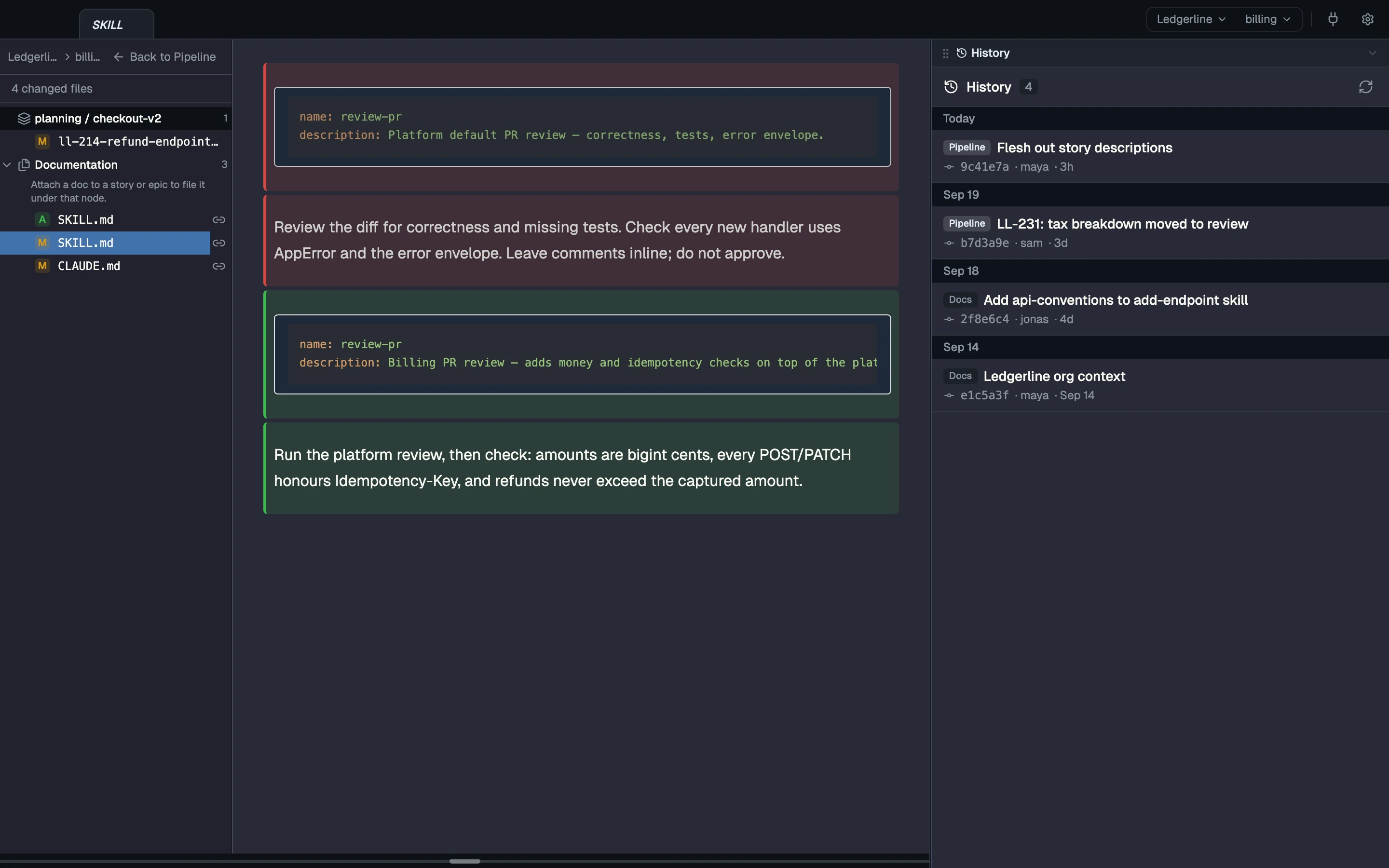
A CodeSense redline of a review-pr SKILL.md: the text inherited from the platform team removed and the billing team's own version added, with commit history alongside.
Real CodeSense UI · sample project Your team tunes the standard. A skill inherited from a parent team, with your team's version shown as a redline.

Your setup keeps working

Your CLIs, scripts and hooks keep working in each worktree, next to the team's context. Nothing to migrate and nothing to give up.

  • Each worktree gets a real terminal: a login zsh that starts in the worktree and loads your .zshenv, .zprofile, .zshrc and .zlogin, so your PATH and aliases apply. Run the CLIs and scripts you already use there.
  • Your hooks stay yours. CodeSense never overwrites your repo’s .claude/settings.json: its own hook goes in settings.local.json, and team settings merge in only where the team marks them to, with your repo’s values winning.
  • Headless agent runs, pre-commit hooks and scripts that run in a worktree read the same context files your interactive agent launched with. They’re plain files, so there’s nothing to set up.
  • CodeSense doesn’t run your CI or your cron jobs, and it isn’t trying to take their place. Your automations keep running where they run today; CodeSense feeds them context.

What's real today

What ships, what needs setup, and what isn't built yet.

Available now Works today

  • Write a skill once. Each Claude Code agent you launch in your team’s repos gets it as a real file, hidden from git, as does any agent whose context names it.
  • CLAUDE.md, AGENTS.md, .claude/skills/, .codex/, or any other instruction file or doc: whatever an agent’s context names lands as a file in its worktree, so any agent that reads its worktree gets it.
  • Files land as you wrote them. CodeSense doesn’t turn CLAUDE.md into AGENTS.md, so a team that uses both keeps both, or points one at the other.
  • Your team context is an ordinary git repo. You, or an agent you ask, commit and push a change there, and teammates see it as incoming; CodeSense pulls it for them when it fast-forwards cleanly, or they review the merge.
  • Teams form a chain. A team’s context is its own files plus its parent teams’, resolved file by file: the nearest team’s copy of a file wins, and folders merge. Editing an inherited file edits the parent’s; Copy into your team gives you a copy of your own that wins.

Beta Works with setup

  • Beta Needs an agent that calls reverse_sync_worktree

    Improve a skill in any worktree, by hand or through an agent, and have an agent sync the change back to the team context. The next agent you launch starts with the better version.

Coming Not built yet

Read more

Try it on your own repos, with your own agents.