Available now
Day one, they just start working.
Every agent a new engineer launches gets the team's skills, agents and instructions, so it works your team's way from day one.
Every agent works in its own worktree with your team’s context, and CodeSense shows you what each one is doing.
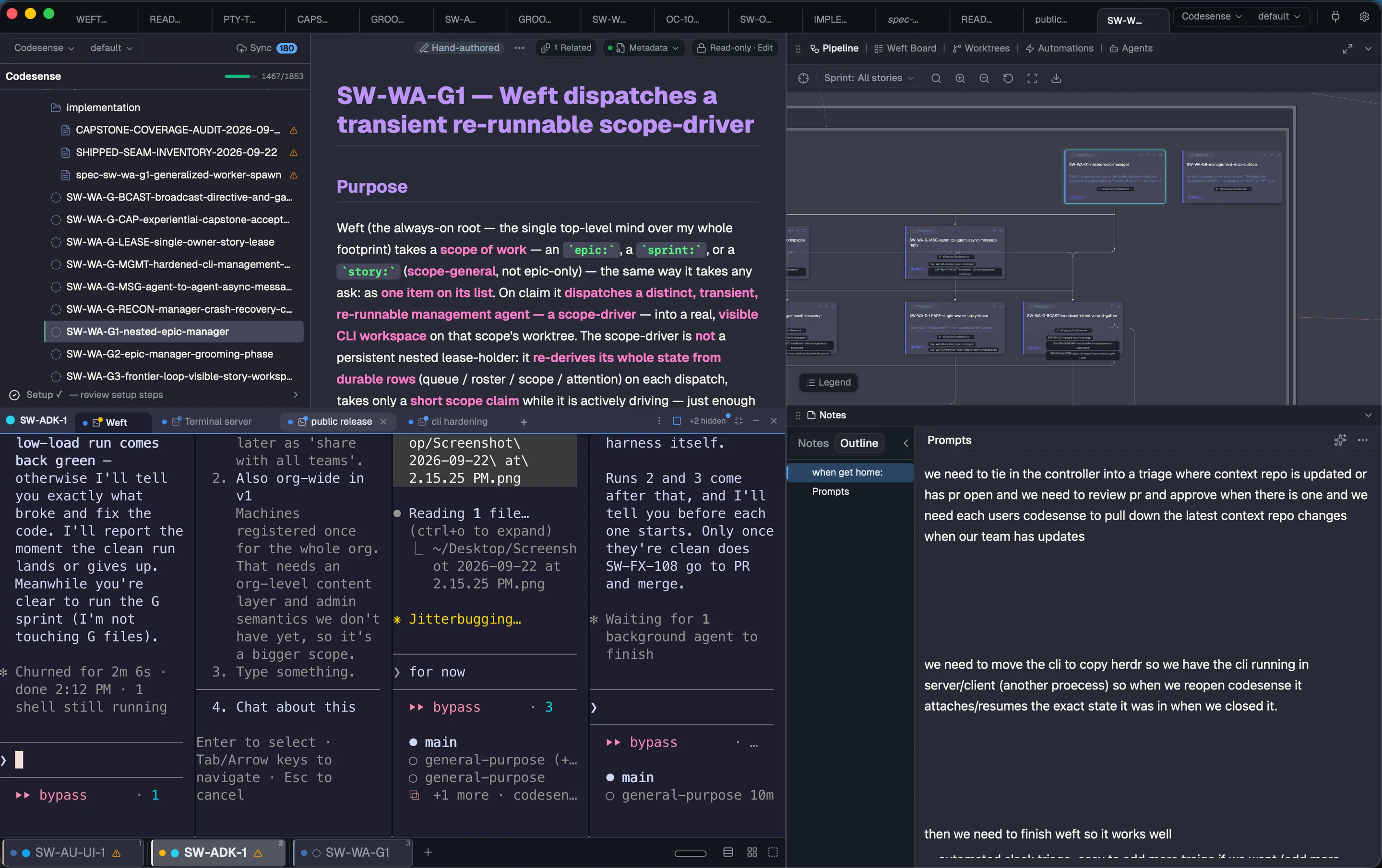
Side by side
Available nowRun agents side by side, each in its own worktree terminal, with live diffs. No multiplexer needed.
Activity
Beta Needs an agent that posts to ActivityThe Activity panel lists what you owe your agents and what they owe you, with a count of what needs you and a notification when you’re away from the app.
Seven jobs, one app. Every card says how real it is today.
Available now
Every agent a new engineer launches gets the team's skills, agents and instructions, so it works your team's way from day one.
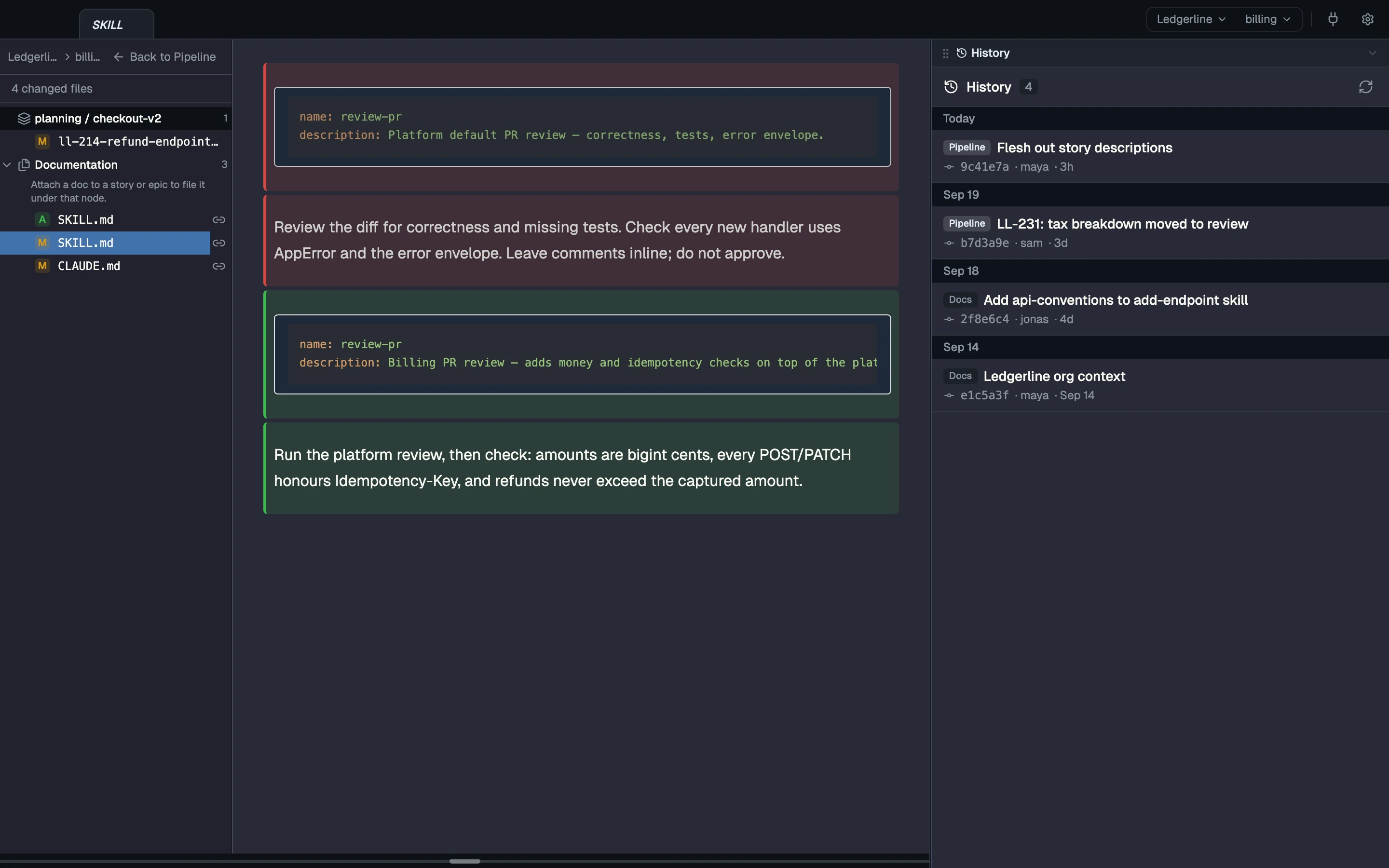
Available now Beta
Write each team convention as a skill once. Every agent whose context includes it gets it as a real file, in any repo; Claude Code agents do by default. In Beta, an agent publishes improvements back.
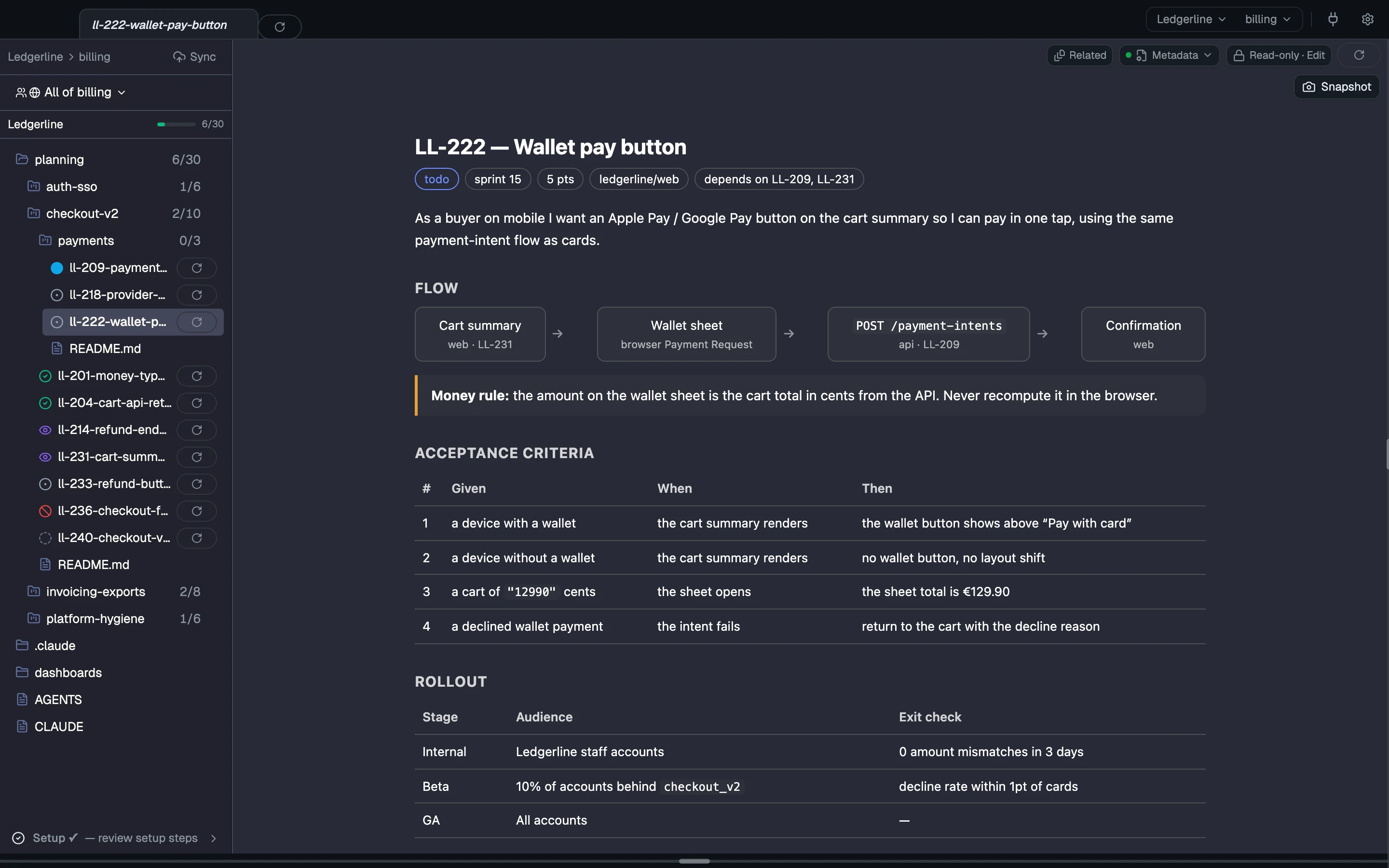
Available now
Stories are markdown or HTML files you or your agent write. CodeSense links them across epics and keeps one sprint across every repo.
Available now Coming
Click a story and its agent starts in the story's own worktree with your team's context. Coming next, a manager agent starts an agent on each ready story.
Coming
Coming next, a review request in Slack starts a review agent on the PR in its own worktree, with your team's review skill, while CodeSense is running.
Coming
Coming next, an ask in Slack, Jira or GitHub is filed once and handed to an agent in its own worktree. The fix waits for your review, and the reply goes back to the thread.
Available now
Open the ready-made sprint dashboards, or write a page over your plans and the results your agents’ routines publish.
CodeSense gives every agent you launch your team’s context in its own worktree, across all your repos and whichever agent you run, and turns your stories into agent work in the right repo.
Then the loop starts again at step 1, with what the agents learned.
Why it compounds: the story file is at once the tracker row, the agent’s input and the dashboard’s data.
---
name: review-pr
description: Review a pull request the way the billing team does.
---

# Review a PR

1. Money is a Money type in bigint cents. Flag any float.
2. Every POST that moves money takes an idempotency key.
3. Run `npm test` before you approve.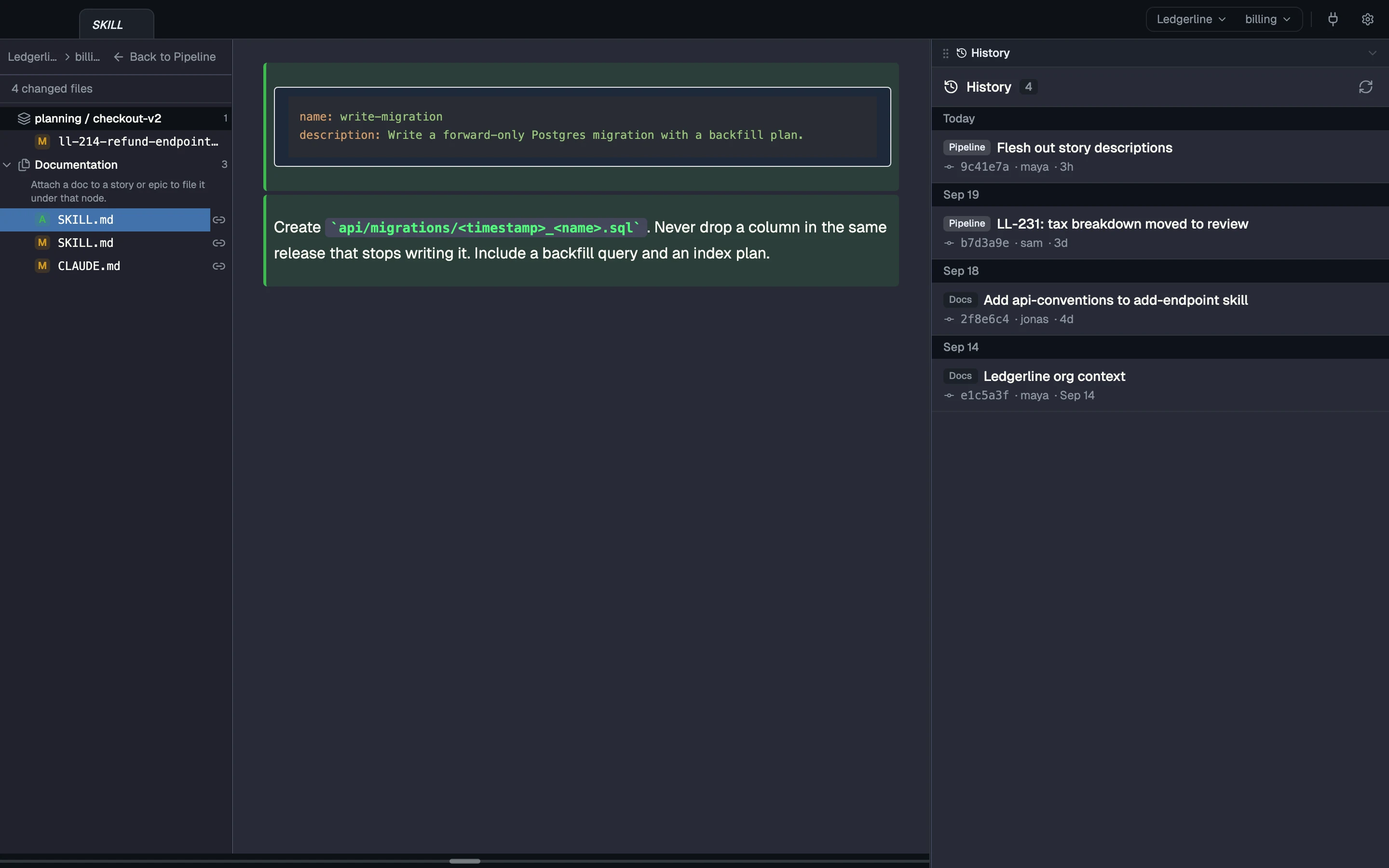
---
type: story
story_id: LL-214
title: Refund endpoint idempotency keys
status: review
source_repo: ledgerline/api
depends_on: [LL-209]
---<!doctype html>
<html>
<head>
<title>Sprint 14</title>
<meta name="cs:type" content="dashboard">
</head>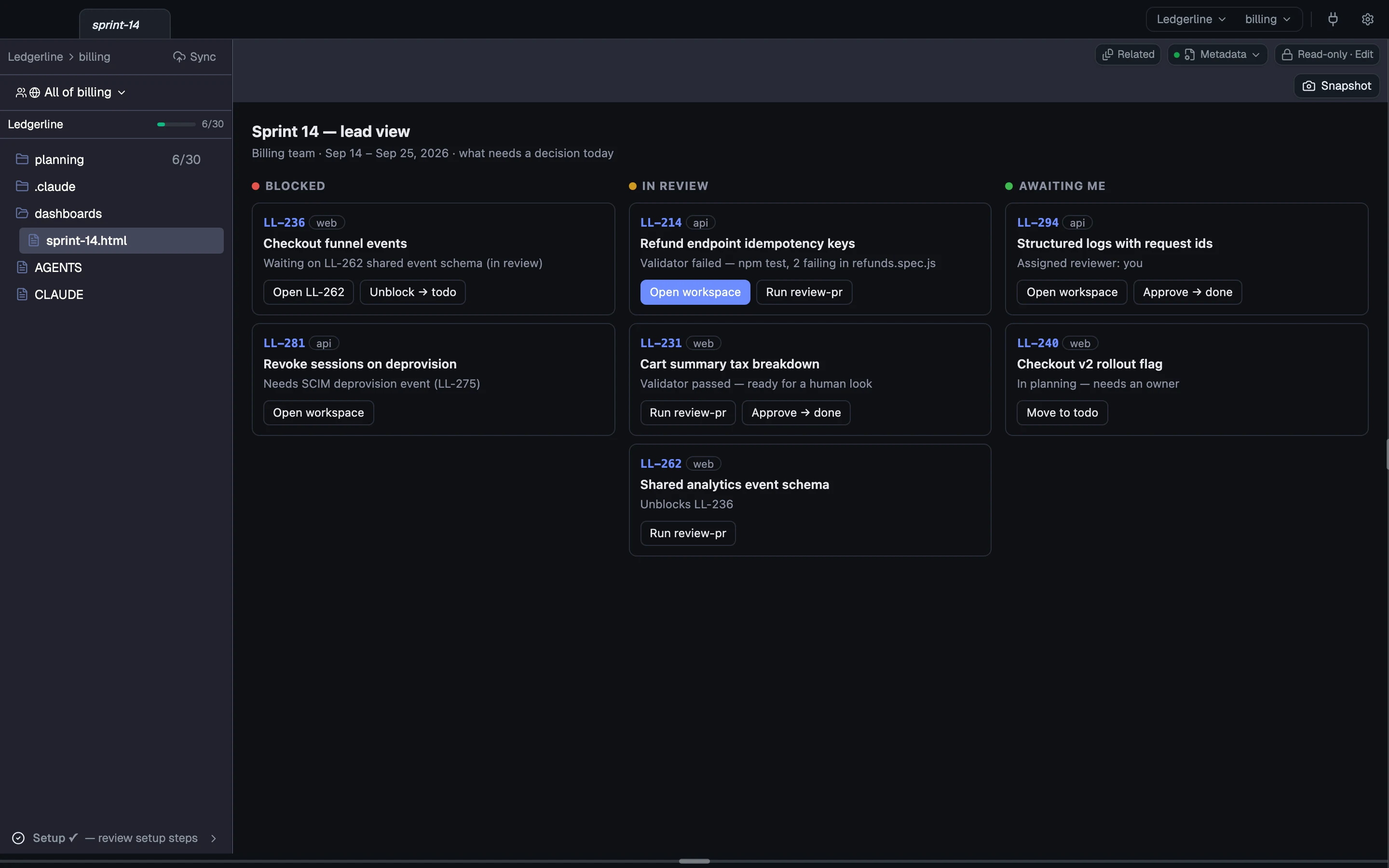
Your plans are plain files you already know how to edit: markdown with frontmatter, or rich HTML pages. There’s no database and no migration, and any extra key becomes metadata you can query.
The app runs on your Mac, your context and plans are files in your git, and CodeSense never calls a model itself.
Your team context is an ordinary git repo. You, or an agent you ask, commit and push a change there, and teammates see it as incoming; CodeSense pulls it for them when it fast-forwards cleanly, or they review the merge.
Three rungs. One you can stand on today.
Every agent side by side, each in its own worktree terminal.
Install, open your repos, and run your first agents with your team's context.