Dashboards you author
Live dashboards over your plans, in files you own.
Any HTML page in your context becomes a live view of your stories and your agents’ routine results. Agents collect outside data with their own tools, so the page never holds a token. Start from the ready-made ones, or write your own.
Any .html file in your context is a live page.
Drop an HTML file into your team context and open it in CodeSense. It renders beside your plans, reads them through a small page SDK, and is versioned in your git like everything else. It stays current as story files change, and teams below yours in the chain inherit it.
The page declares what it may do, right in its head.
<!doctype html>
<html lang="en">
<head>
  <meta charset="utf-8">
  <meta name="cs:type" content="dashboard">
  <title>Sprint 14 — lead view</title>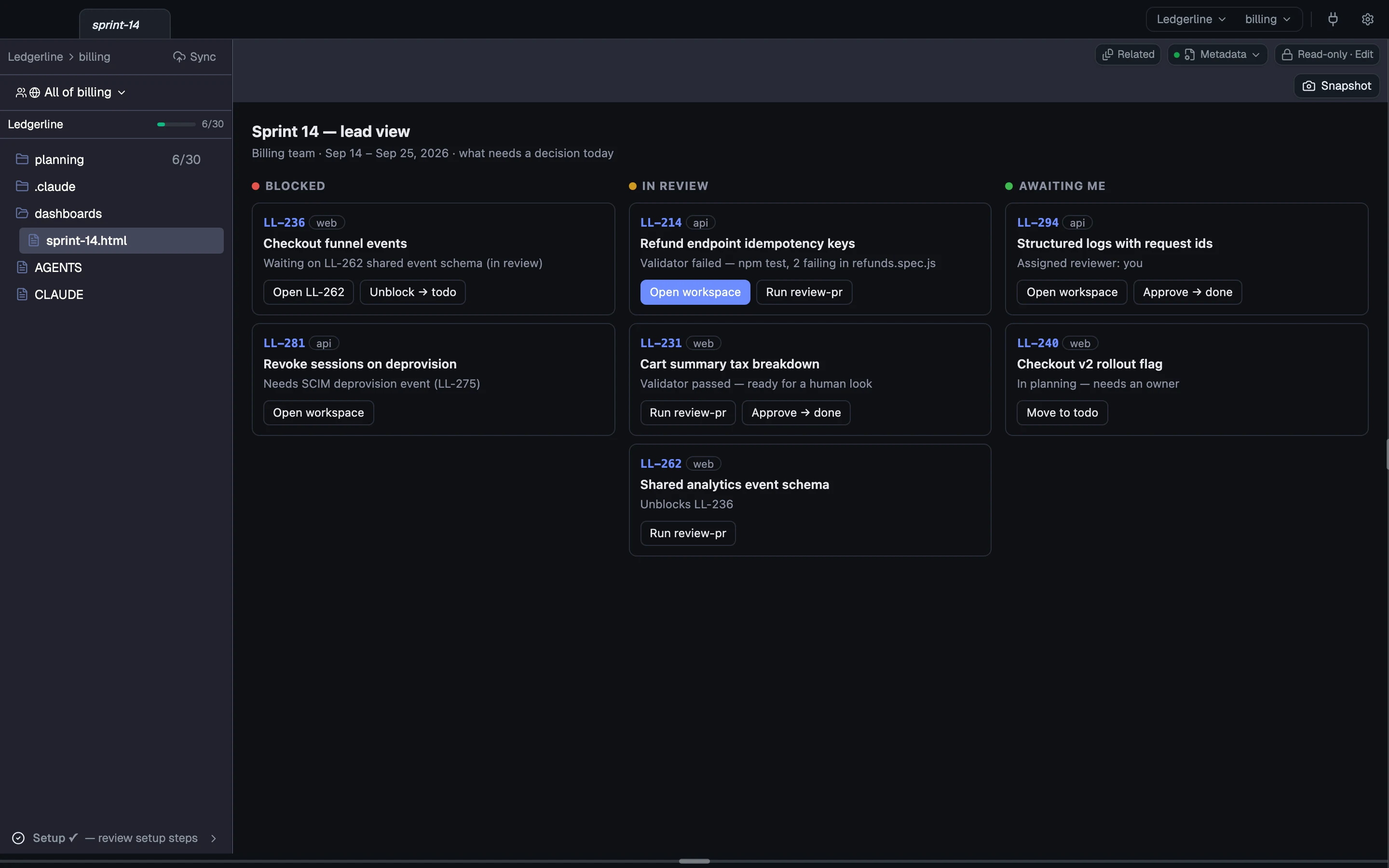
Ready-made dashboards
Ready-made example dashboards come with the CodeSense docs: a sprint analysis page and a kickoff console. Copy one into your team and it runs live over your stories.
The page SDK
The page SDK has 27 action verbs and 55 bridge methods counting the reads. A page calls any of them directly; there is nothing to declare or grant.
- Change plans:
setStatus,setField,setPrefs,routeToContext,draft,markRead,setHumanStatus - Start work:
routineRefresh,openWorkspace,openFile,runPrompt,runSkill,openTab,gotoAgent - Talk to sessions:
sendToSession,sendToWorkspaceTab,postMessage,sendAsHuman,replyAsHuman - Watch and tidy up:
routineResult,routineStatus,readWorkspace,getWorkspaceStatus,routineCancel,closeWorkspace,closeTerminalTab,stopSession
const cs = () => window.codesense;
// setStatus takes the story file's path: resolve it from the page's own folder.
const storyPath = async (rel) => (await cs().invoke("getDocDir")).replace(/\/dashboards$/, "") + "/" + rel;
document.addEventListener("click", async (e) => {
  const b = e.target.closest("button"); if (!b || !cs()) return;
  try {
    if (b.dataset.open) await cs().invoke("openWorkspace", { storyId: b.dataset.open });
    else if (b.dataset.path) await cs().invoke("setStatus", { path: await storyPath(b.dataset.path), status: b.dataset.to });
    else if (b.dataset.skill) await cs().invoke("runSkill", { skill: "review-pr", args: [b.dataset.skill] });
    msg("Sent: " + b.textContent);
  } catch (err) { msg(String(err && err.message || err)); }
});No permission prompts, and a record of every action
Every verb runs when the page calls it, with no grant or confirm dialog. Runaway guards cap bulk writes and chat bursts, and each action is recorded in a local log.
A live table in any doc
Put a csquery block in any markdown file and it renders as a live, read-only table of the stories it matches. Filter on status or any frontmatter field, source_repo included. One table can show every repo's work, and the block can't change anything.
```csquery
tag: sprint=sprint-14
status: review, in-progress
columns: name, status, source_repo, assigned_to
sort: status
```Coming next
Not shipped yet. Each item says what it's waiting on.
Read the concepts
How each part works, in the docs.
- Dashboards HTML pages in your context and the SDK.
- Page SDK Every read and action verb, with its gate.
- csquery The query block's keys and views.